How to Implement Multi-Factor Authentication in an Enterprise Environment: A Comprehensive Guide
This space is reserved for a Google AdSense banner to help support the blog.
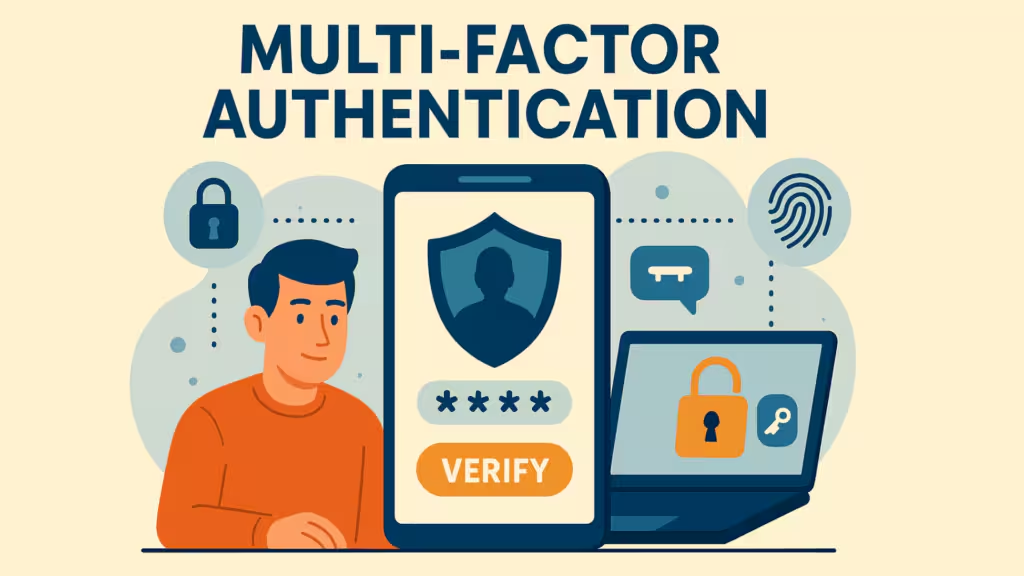
Understanding Multi-Factor Authentication
The Authentication Continuum
-
Knowledge Factor (Something You Know)
: Passwords, PINs, security questions, or pattern locks. While necessary as a baseline, knowledge factors alone provide insufficient protection in enterprise contexts.
-
Possession Factor (Something You Have)
: Physical devices such as smartphones, hardware security keys, smart cards, or one-time password (OTP) tokens. These factors introduce a physical barrier that remote attackers cannot easily overcome.
-
Inherence Factor (Something You Are)
: Biometric characteristics including fingerprints, facial recognition, iris patterns, voice prints, and behavioral biometrics. These factors bind authentication to the individual's physical presence.
-
Location Factor (Somewhere You Are)
: Geolocation data, network origin, or trusted device registration. While rarely used as a standalone factor, location provides valuable contextual signals.
-
Behavior Factor (Something You Do)
: Keystroke dynamics, mouse movement patterns, gait analysis, and interaction rhythms. Behavioral biometrics are increasingly employed in continuous authentication scenarios.
The Mathematics of MFA Security
The Enterprise Imperative
The Modern Attack Landscape
Business Drivers Beyond Security
MFA Methods and Authentication Factors
Knowledge-Based Methods
- Authenticator applications (Google Authenticator, Microsoft Authenticator, Authy)
- Hardware tokens (RSA SecurID, YubiKey OTP)
- SMS or email delivery (discussed separately due to security concerns)
Possession-Based Methods
Inherence-Based Methods
Emerging and Specialized Methods
Strategic Planning and Architecture
Assessment and Discovery Phase
Defining the Target State
- AAL1: Single-factor authentication (not recommended for enterprise)
- AAL2: Two-factor authentication with proof of possession and control (minimum enterprise standard)
- AAL3: Two-factor authentication with hardware-based cryptographic authenticators and verifier impersonation resistance (required for privileged access and high-risk operations)
- Phase 1: Administrators and privileged users
- Phase 2: Remote access and VPN users
- Phase 3: Cloud application users
- Phase 4: On-premises application users
- Phase 5: Full universal deployment
Governance and Stakeholder Alignment
Technology Stack Selection
Identity Provider Evaluation
MFA Technology Categories
Selection Criteria
Identity Provider Integration
Cloud-Native Application Integration
On-Premises Application Integration
- Azure AD Kerberos integration for hybrid environments
- Smart card logon requiring physical token presence
- Third-party agents that intercept Windows logon and inject MFA prompts
API and Custom Application Integration
Phased Implementation Roadmap
Phase 0: Foundation and Pilot (Months 1-2)
- Deploy and configure the identity provider in production or staging environments
- Establish directory synchronization (Azure AD Connect, Okta Active Directory Agent)
- Configure baseline conditional access or authentication policies
- Implement monitoring and logging infrastructure
- Select 50-200 pilot users representing diverse roles and technical abilities
- Include IT staff, security team members, and representative business users
- Deploy to non-critical applications initially
- Enroll pilot users with hands-on assistance
- Collect quantitative metrics (enrollment time, authentication success rates, help desk tickets)
- Gather qualitative feedback through surveys and focus groups
- Refine policies and procedures based on pilot findings
Phase 1: Privileged Access (Months 3-4)
- Require MFA for all administrative accounts across cloud and on-premises environments
- Implement hardware token or phishing-resistant MFA for Tier 0 and Tier 1 administrators
- Enforce PIM/PAM (Privileged Identity Management / Privileged Access Management) with time-bound elevation requiring MFA
- Apply MFA to domain controllers, backup systems, and core infrastructure
- Require MFA for remote desktop and server administration tools
- Implement MFA for cloud management consoles (AWS, Azure, GCP)
Phase 2: Remote Access and Perimeter (Months 5-6)
- Integrate MFA with VPN solutions (Cisco AnyConnect, Palo Alto GlobalProtect, FortiClient)
- Require MFA for wireless network access (802.1X with RADIUS MFA)
- Implement MFA for remote desktop gateways and bastion hosts
- Enforce MFA for email systems (Microsoft 365, Google Workspace)
- Apply MFA to collaboration platforms (Slack, Teams, Zoom)
- Secure file sharing and cloud storage services
Phase 3: General Workforce (Months 7-9)
- Roll out MFA to all SaaS applications with SSO integration
- Address on-premises applications through reverse proxy or direct integration
- Implement MFA for HR systems, financial applications, and customer databases
- Prioritize high-risk departments (Finance, Legal, R&D, Executive)
- Address geographically distributed users
- Manage contractor and temporary worker enrollment
Phase 4: Optimization and Hardening (Months 10-12)
- Migrate eligible users from password+MFA to passwordless FIDO2/passkey authentication
- Deploy Windows Hello for Business, Apple Face ID/Touch ID, and Android biometric authentication
- Eliminate SMS OTP where deployed
- Replace applications that cannot support MFA
- Implement compensating controls for systems that absolutely require legacy authentication
- Establish sunset timelines for non-compliant applications
Phase 5: Continuous Improvement (Ongoing)
- Implement risk-based policies that dynamically adjust authentication requirements
- Integrate threat intelligence feeds
- Deploy behavioral analytics
- Extend MFA to operational technology (OT) environments where feasible
- Implement MFA for machine-to-machine and service account authentication
- Continuously evaluate emerging authentication technologies
User Enrollment and Lifecycle Management
Enrollment Strategy Design
- Corporate branding and clear instructions
- Multiple authenticator options presented by role
- Progressive disclosure (enroll primary method first, backup methods subsequently)
- Visual progress indicators and completion confirmation
- IT concierge enrollment with scheduled appointments
- Video-guided enrollment sessions
- Delegated enrollment for administrative assistants (with appropriate oversight)
- Pre-registration of hardware tokens with user assignment
- CSV-based bulk enrollment for TOTP seeds
- Automated enrollment triggered by HR onboarding workflows
Backup and Recovery Methods
Lifecycle Management Integration
Risk-Based and Adaptive Authentication
Beyond Static MFA
Risk Signal Categories
- Time-of-day and day-of-week patterns
- Typical geolocation and travel patterns
- Device fingerprinting and trust history
- Application access patterns
- Network origin (corporate IP vs. public WiFi vs. known hostile IPs)
- Device compliance status (managed, patched, encrypted)
- Browser and operating system characteristics
- Use of anonymization services (Tor, VPNs)
- Known compromised credentials
- IP reputation and blocklist status
- Anonymous proxy detection
- Impossible travel detection (logins from geographically distant locations within implausible timeframes)
Policy Implementation
Machine Learning and Behavioral Analytics
-
Login Velocity Analysis
: Detect unusual authentication frequency
-
Peer Group Analysis
: Identify deviations from similar users' behavior patterns
-
Session Anomaly Detection
: Flag unusual data access patterns or privilege escalation attempts
-
Continuous Authentication
: Re-evaluate risk throughout the session, not just at login
Legacy System Integration
The Legacy Challenge
Integration Patterns
Compensating Controls
Security Policies and Governance Framework
Policy Architecture
Key Policy Elements
- Standard users: Any AAL2-compliant method (authenticator app, push, hardware token)
- Privileged users: Phishing-resistant hardware tokens (FIDO2/WebAuthn) or smart cards
- Service accounts: Certificate-based or managed identity authentication with rotation requirements
Enforcement Mechanisms
Monitoring, Analytics, and Incident Response
Telemetry Collection
Key Performance Indicators
- Percentage of users and applications covered by MFA
- Authentication success/failure rates
- MFA method distribution
- Phishing-resistant method adoption rate
- Number of blocked risky authentication attempts
- Average enrollment time
- Help desk tickets related to MFA (volume and resolution time)
- User satisfaction scores
- Time to complete rollout phases
- Exception count and aging
- Policy violation incidents
- Audit finding resolution status
Security Operations Center (SOC) Integration
- Multiple failed MFA attempts indicating potential token theft or brute force
- Impossible travel detections
- New device or location anomalies for privileged accounts
- MFA bypass attempts or policy violations
- Procedures for investigating suspicious MFA events
- Steps for temporarily suspending compromised accounts
- Coordination with identity administrators for remediation
- Accounts without MFA that should have it enabled
- Unusual MFA method changes
- Patterns suggesting push fatigue attacks
- Correlation between MFA events and other security telemetry
User Experience and Change Management
The Human Factor
Communication Strategy
- Executive sponsorship message explaining the "why"
- Clear timeline and expectations
- What users need to do and when
- Available support resources
- Just-in-time instructions during enrollment
- Quick reference guides and video tutorials
- FAQ addressing common concerns
- Security awareness integration highlighting MFA's role in protecting the organization
- Success metrics sharing (e.g., "MFA blocked 10,000 unauthorized access attempts this month")
- Updates on new features or policy changes
Training and Support
- General users: Basic enrollment, daily use, and lost device procedures
- Remote workers: VPN MFA, home network considerations
- Executives: Concierge support, understanding of high-assurance methods
- IT Staff: Administrative procedures, troubleshooting, policy configuration
- Tier 1: Password resets, basic enrollment assistance, app installation
- Tier 2: Method changes, device transfers, policy exceptions
- Tier 3: Integration issues, advanced troubleshooting, vendor escalation
- Comprehensive knowledge base with searchability
- Chatbot for common MFA issues
- Self-service password and method reset portals
Addressing User Resistance
Accessibility Considerations
- Screen reader compatibility for authenticator apps and enrollment portals
- Alternative methods for users unable to use smartphones or biometrics
- Clear visual and audio indicators for push notifications
- Support for assistive technologies in all authentication interfaces
- Compliance with WCAG 2.1 Level AA and Section 508 requirements
Compliance and Regulatory Alignment
Regulatory Frameworks
Audit and Attestation
Documentation Requirements
- Risk assessments justifying MFA method selections
- Architecture diagrams showing MFA integration points
- Policy documents with approval records and version history
- User enrollment records and compliance metrics
- Exception registers with risk acceptance and expiration dates
- Incident response records involving authentication events
- Penetration test results validating MFA effectiveness
Troubleshooting and Operational Support
Common Issues and Resolutions
- Verify network connectivity and firewall rules (ports 443, 5223 for Apple push notifications)
- Check device notification permissions and Do Not Disturb settings
- Validate device registration status in the IdP
- Review for clock skew on TOTP implementations
- Synchronize system clocks (NTP configuration)
- Verify correct time zone settings
- Check for multiple accounts in the authenticator app causing confusion
- Re-enroll if the seed was corrupted during transfer
- Verify USB port functionality and driver installation
- Check for physical damage or battery depletion
- Validate certificate expiration for PKI-based tokens
- Test on multiple devices to isolate hardware vs. software issues
- Distinguish between MFA failures and password failures
- Implement progressive lockout with automatic unlocking
- Provide self-service unlock for verified users
- Investigate patterns suggesting attacks vs. user error
- Verify SAML/OIDC configuration and certificate validity
- Check conditional access policy evaluation
- Validate user license assignments
- Review application-specific MFA requirements
Operational Runbooks
- Monitor authentication success rates and anomaly alerts
- Process MFA exception requests
- Handle help desk escalations
- Review and approve emergency access requests
- Analyze MFA metrics and trends
- Review failed authentication patterns
- Update threat intelligence feeds
- Conduct user feedback sessions
- Compliance reporting and metrics review
- Policy effectiveness assessment
- Vendor patch and update evaluation
- Security awareness content updates
- Penetration testing of MFA implementations
- Disaster recovery testing for IdP infrastructure
- Access review and recertification
- Roadmap and technology evaluation
Advanced Topics and Emerging Trends
Passwordless Authentication
- Synced vs. device-bound passkey policies
- Recovery procedures when platform accounts are lost
- Cross-platform compatibility and vendor lock-in risks
- Enterprise credential management and auditing
Machine Identity and Service Account MFA
Continuous Authentication
Decentralized Identity and Verifiable Credentials
- Users hold credentials in digital wallets
- Enterprises verify credentials without maintaining centralized identity databases
- Reduced breach impact through decentralized architecture
- Early enterprise pilots in supply chain and partner access scenarios
Quantum-Resistant Authentication
- NIST's post-quantum cryptography standardization will impact FIDO2 and PKI implementations
- Enterprises should monitor standards development and plan migration timelines
- Hash-based signature schemes and lattice-based cryptography will replace RSA and ECC in authentication contexts
Conclusion
In an era where credential-based attacks account for the vast majority of enterprise security breaches, Multi-Factor Authentication (MFA) has transitioned from a recommended security control to a non-negotiable baseline requirement. The modern enterprise operates across cloud services, on-premises data centers, remote workforces, and mobile endpoints—each representing a potential vector for unauthorized access. Implementing MFA in this complex environment is not merely a technical deployment; it is a strategic organizational transformation that touches identity architecture, user behavior, operational processes, and regulatory compliance.This guide provides a comprehensive framework for enterprise MFA implementation, covering everything from initial strategic planning through long-term operational management. Whether your organization is beginning its MFA journey or seeking to mature an existing deployment, the principles, methodologies, and practical guidance contained herein will serve as a definitive reference for building a resilient, user-friendly, and future-proof authentication infrastructure.Authentication exists on a continuum of assurance levels. At the lowest end, single-factor authentication (SFA) relies solely on something the user knows—typically a password. Despite decades of security awareness training, passwords remain fundamentally weak: they are reused across services, susceptible to phishing, vulnerable to brute-force attacks, and frequently exposed in data breaches. The 2023 Verizon Data Breach Investigations Report consistently shows that stolen credentials remain the primary attack vector in enterprise breaches.Multi-Factor Authentication addresses this vulnerability by requiring two or more distinct authentication factors from independent categories:True MFA requires factors from different categories. Using a password and a security question constitutes single-factor authentication twice, not multi-factor authentication. Similarly, receiving an SMS code on a phone while authenticating from that same phone presents a single possession factor, albeit with some separation.The security improvement MFA provides is not merely additive—it is multiplicative. If a password has a 1 in 10,000 chance of being compromised, and a hardware token has a 1 in 1,000,000 chance of being stolen and used, the combined probability of both failing simultaneously becomes vanishingly small (theoretically 1 in 10 billion, though real-world factors modify this). Microsoft research indicates that MFA blocks 99.9% of automated attacks, and Google research demonstrates that even the simplest form of MFA—SMS-based verification—prevents 100% of automated bot attacks, 96% of bulk phishing attacks, and 76% of targeted attacks.Enterprise environments face a sophisticated threat landscape that makes MFA essential:Credential Stuffing and Password Spraying: Attackers leverage billions of compromised credentials available on the dark web, automating login attempts across enterprise services. Without MFA, a single reused password can compromise an entire corporate network.Phishing and Social Engineering: Modern phishing campaigns have evolved beyond crude mass emails to highly targeted spear-phishing, business email compromise (BEC), and adversary-in-the-middle (AiTM) attacks. Traditional password-based authentication offers no defense against credential harvesting.Insider Threats: Whether malicious or accidental, insider actions represent a significant risk. MFA, particularly when combined with privileged access management (PAM), ensures that administrative actions require explicit verification.Supply Chain Attacks: The SolarWinds and Kaseya incidents demonstrated how compromising a single vendor can cascade through enterprise ecosystems. MFA on vendor portals and integration points provides critical defense-in-depth.While security remains the primary driver, enterprises adopt MFA for multiple strategic reasons:Regulatory Compliance: PCI DSS, HIPAA, NIST 800-63, GDPR, SOX, and industry-specific regulations increasingly mandate strong authentication. MFA is frequently a specific requirement or a practical path to compliance.Cyber Insurance: Insurance carriers increasingly require MFA as a condition of coverage or offer premium reductions for organizations with robust authentication controls.Zero Trust Architecture: The "never trust, always verify" paradigm of Zero Trust fundamentally depends on strong identity verification. MFA is not optional in Zero Trust implementations—it is foundational.Remote Work and BYOD: The post-pandemic distributed workforce model dissolves traditional network perimeters. MFA becomes the primary control ensuring that remote access genuinely originates from authorized users.Customer and Partner Trust: B2B relationships increasingly require security attestations. Demonstrating MFA deployment satisfies vendor security questionnaires and maintains competitive positioning.Passwords and Passphrases: Despite their weaknesses, passwords remain ubiquitous. Enterprises should enforce strong password policies (minimum 12-16 characters, complexity requirements, prohibition of common passwords) while recognizing that passwords alone are insufficient.One-Time Passwords (OTP): Time-based One-Time Passwords (TOTP) and HMAC-based One-Time Passwords (HOTP) generate codes through algorithms like RFC 6238. These can be delivered via:Push Notifications: Modern authenticator apps send push notifications to registered devices, allowing users to approve or deny authentication requests with a single tap. This method balances security with usability but requires protection against push fatigue attacks.Hardware Security Keys: FIDO2/WebAuthn-compliant hardware keys (YubiKey, Google Titan, Feitian) represent the gold standard for phishing-resistant authentication. These devices perform cryptographic operations within secure hardware, ensuring private keys never leave the device. They are immune to phishing because they verify the domain origin of authentication requests.Smart Cards: PKI-based smart cards (CAC, PIV) remain prevalent in government and highly regulated industries. They store X.509 certificates and require card readers, making them suitable for high-assurance environments but potentially cumbersome for mobile or remote scenarios.Mobile Authenticator Apps: Software-based authenticators on smartphones provide TOTP generation, push notifications, and increasingly, FIDO2 support through platform authenticators (Apple Touch ID/Face ID, Windows Hello, Android BiometricPrompt).SMS and Voice OTP: While better than passwords alone, SMS-based MFA has significant vulnerabilities: SIM swapping, SS7 protocol attacks, interception, and social engineering against telecom providers. NIST 800-63B explicitly deprecates SMS OTP for high-assurance applications. Enterprises should avoid SMS where possible and never use it for privileged access.Fingerprint Recognition: Widely available on modern devices, fingerprint sensors provide convenient biometric verification. However, enterprises must consider enrollment management, template storage security, and accessibility for users with physical limitations.Facial Recognition: 3D structured light and infrared facial recognition (Face ID, Windows Hello) offer strong security with high usability. Liveness detection prevents spoofing with photographs or masks.Iris and Retinal Scanning: Primarily deployed in high-security government and defense environments, these methods provide extremely high accuracy but require specialized hardware.Behavioral Biometrics: Analyzing typing rhythm, mouse movements, touchscreen pressure, and navigation patterns enables continuous authentication that operates transparently in the background. This emerging field promises to reduce friction while maintaining security.Passkeys: The FIDO Alliance's passkey initiative represents the future of authentication. Passkeys are FIDO2 credentials that sync across devices via platform ecosystems (Apple iCloud Keychain, Google Password Manager, Windows Hello) or operate as device-bound credentials. They eliminate passwords entirely while providing phishing-resistant, user-friendly authentication.QR Code Authentication: Scanning QR codes with pre-authenticated mobile devices enables passwordless login on shared or untrusted workstations.Email Magic Links: While primarily used in consumer applications, magic links sent to corporate email can serve as secondary verification in certain enterprise contexts, though they introduce email compromise risks.Before selecting technologies or drafting policies, enterprises must conduct comprehensive discovery:Application Inventory: Catalog all applications requiring authentication, categorizing them by criticality, user base, technology stack, and current authentication mechanisms. Identify shadow IT and unauthorized cloud services.User Segmentation: Analyze user populations by role, risk profile, technical sophistication, geographic distribution, and device ownership. Executives, administrators, developers, remote workers, and contractors may require different MFA approaches.Current State Analysis: Evaluate existing identity infrastructure, including Active Directory, LDAP directories, cloud identity providers, SSO implementations, and VPN concentrators. Identify technical debt and compatibility constraints.Risk Assessment: Conduct a formal risk assessment identifying high-value assets, threat scenarios, and the potential impact of credential compromise. This informs MFA policy rigor and prioritization.The target architecture should specify:Authentication Assurance Levels: Align with NIST 800-63-3 Authenticator Assurance Levels (AAL):Deployment Scope: Determine whether MFA applies to all users and all applications (universal MFA) or selectively based on risk (risk-based MFA). Industry best practice increasingly favors universal MFA with risk-based step-up for sensitive operations.Phasing Strategy: Define rollout phases by user population, application criticality, or geographic region. Common approaches include:Successful MFA implementation requires cross-functional governance:Executive Sponsorship: CISO or CIO sponsorship ensures organizational priority and resource allocation.Steering Committee: Include representatives from IT, Security, HR, Legal, Compliance, and key business units.Change Management Team: Dedicated resources for communication, training, and user support are essential for adoption.Policy Framework: Establish clear policies defining MFA requirements, approved authenticator types, enrollment procedures, exception handling, and enforcement timelines.The identity provider (IdP) serves as the central nervous system of enterprise MFA. Major options include:Microsoft Entra ID (Azure AD): Deeply integrated with Microsoft 365 and Azure ecosystems. Offers native MFA through Microsoft Authenticator, conditional access policies, and passwordless options. Ideal for Microsoft-centric enterprises.Okta: Cloud-native identity platform with extensive application integration, robust MFA options (push, OTP, biometrics, FIDO2), and strong lifecycle management capabilities.Ping Identity: Enterprise-focused with strong on-premises heritage, comprehensive federation support, and advanced adaptive authentication.Google Workspace: Suitable for organizations heavily invested in Google Cloud and Workspace, with built-in 2-Step Verification and security keys support.On-Premises Solutions: Active Directory Federation Services (AD FS), RSA SecurID, and custom RADIUS/LDAP implementations serve organizations with regulatory or operational requirements preventing cloud IdP adoption.Native IdP MFA: Built-in capabilities of the primary identity platform. Generally preferred for simplicity and integration depth.Standalone MFA Solutions: Specialized vendors (Duo Security, now part of Cisco; Authy; LastPass Authenticator) that integrate with multiple IdPs. Useful for heterogeneous environments or specific use cases.Hardware Token Ecosystems: Vendor-specific (Yubico, Feitian) or standards-based (FIDO2) hardware key programs requiring procurement, distribution, and replacement logistics.Telephony Services: SMS and voice OTP providers (Twilio, Vonage) for fallback scenarios, though their use should be minimized.Evaluate solutions against:Security Posture: FIDO2/WebAuthn support, phishing resistance, biometric security, key storage protection, and vendor security track record.Integration Breadth: Pre-built connectors for existing applications, RADIUS support for network devices, API availability for custom applications, and legacy protocol support (SAML, OIDC, WS-Fed, LDAP).User Experience: Enrollment friction, authentication speed, mobile experience, offline capability, and accessibility compliance.Operational Scalability: Management console capabilities, bulk provisioning APIs, reporting and analytics, automated remediation, and high availability architecture.Total Cost of Ownership: Licensing models, hardware procurement costs, distribution logistics, support overhead, and training requirements.Compliance Alignment: FIPS 140-2 validation, Common Criteria certification, FedRAMP authorization, and regional data residency requirements.Modern SaaS applications typically support SAML 2.0 or OpenID Connect (OIDC) federation, enabling MFA enforcement at the IdP level:SAML 2.0 Integration: Configure service providers to redirect authentication to the enterprise IdP. The IdP performs MFA verification before issuing a signed SAML assertion. Ensure proper attribute mapping, encryption configuration, and certificate rotation procedures.OIDC/OAuth 2.0 Integration: Native to modern cloud applications, OIDC enables MFA through the authorization server. Implement PKCE (Proof Key for Code Exchange) for native mobile applications and validate ID token signatures rigorously.SCIM Provisioning: System for Cross-domain Identity Management automates user provisioning and deprovisioning, ensuring MFA enrollment status synchronizes with identity lifecycle events.Legacy applications present significant MFA integration challenges:Reverse Proxy Deployment: Deploy MFA-capable reverse proxies (Azure AD Application Proxy, F5 BIG-IP APM, Duo Network Gateway) in front of legacy web applications. Users authenticate through the proxy, which enforces MFA before forwarding requests to the backend application.RADIUS Integration: Network devices (VPN concentrators, wireless access points, switches) typically support RADIUS authentication. Configure the IdP or MFA gateway as a RADIUS server, requiring MFA for network access.LDAP Integration: Directory services and legacy applications using LDAP bind operations can integrate through LDAP proxy servers that intercept authentication requests and inject MFA requirements.Kerberos and NTLM: Windows-integrated authentication presents unique challenges. Solutions include:For internally developed applications:Direct IdP SDK Integration: Embed IdP authentication SDKs to implement MFA natively within applications.API Gateway Enforcement: Centralize authentication at API gateways (Kong, Apigee, AWS API Gateway) with MFA enforcement policies.Backend-for-Frontend Pattern: Implement dedicated authentication services that handle MFA flows, keeping application code decoupled from authentication complexity.Infrastructure Preparation:Pilot Program Design:Pilot Execution:Administrator MFA Enforcement:Critical System Protection:VPN and Network Access:Cloud Application Expansion:Broad Application Coverage:Departmental Sequencing:Passwordless Transition:Legacy System Retirement:Adaptive Authentication Deployment:Expansion and Refinement:The enrollment experience fundamentally shapes user perception of MFA. Poor enrollment drives shadow IT circumvention and support burden.Self-Service Enrollment Portals: Modern IdPs provide guided enrollment workflows. Customize these with:Assisted Enrollment: For executives, remote workers, or users with accessibility needs, offer:Bulk Enrollment: For large deployments, consider:Every primary MFA method requires a backup:Secondary Authenticator: Require enrollment of at least two methods (e.g., Microsoft Authenticator app + hardware security key).Backup Codes: Generate single-use recovery codes during enrollment. Users should store these securely (printed and locked, or in personal password managers—not in corporate email).Trusted Devices: Allow device registration with conditional access, reducing MFA prompts on managed, compliant devices while maintaining security.Temporary Bypass: Establish secure, audited temporary bypass procedures for lost or broken authenticators, with automatic expiration and mandatory re-enrollment.MFA enrollment must synchronize with identity lifecycle events:Onboarding: MFA enrollment should be part of the standard new hire provisioning workflow, completed before system access is granted.Role Changes: When users transition to roles requiring stronger authentication (e.g., promotion to administrator), automatically upgrade MFA requirements and methods.Leave and Suspension: Temporarily disable MFA or require re-verification upon return from extended leave to detect potential account compromise during absence.Offboarding: Immediately revoke all MFA registrations and trusted device status upon termination. Ensure deprovisioned users cannot leverage personal authenticator apps still configured with corporate accounts.Device Replacement: Streamline processes for smartphone upgrades, lost devices, and hardware token replacements with self-service re-enrollment capabilities.Static MFA—requiring the same authentication regardless of context—creates unnecessary friction for low-risk scenarios and potentially insufficient protection for high-risk situations. Risk-based adaptive authentication dynamically adjusts requirements based on real-time risk signals.User and Entity Behavior:Authentication Context:Threat Intelligence:Low Risk: Passwordless or single sign-on with device trust, no additional MFA prompt.Medium Risk: Standard MFA challenge (push notification or biometric).High Risk: Step-up to hardware token or in-person verification, restricted access to sensitive resources.Critical Risk: Block access entirely, trigger incident response, require identity verification through out-of-band channels.Advanced implementations employ machine learning models to establish behavioral baselines and detect anomalies:Enterprise environments invariably contain legacy systems that predate modern authentication standards: mainframe terminals, industrial control systems, custom-built applications, and outdated vendor software. These systems cannot be ignored—they often support critical business functions.Gateway Pattern: Place MFA-enforcing gateways or proxies between users and legacy systems. The gateway handles modern authentication, while legacy systems continue using legacy protocols internally.Credential Vaulting: Store legacy credentials in privileged access management vaults (CyberArk, HashiCorp Vault, Delinea). Users authenticate to the vault with MFA, and the vault injects legacy credentials transparently.Jump Server/Bastion Host: Require MFA to access hardened jump servers, from which users connect to legacy systems. Session recording and command filtering provide additional oversight.API Translation: Deploy API gateways that translate modern authentication tokens (JWT, SAML) to legacy formats (SOAP, custom headers) while enforcing MFA at the translation layer.When MFA integration is genuinely impossible:Network Segmentation: Isolate legacy systems behind strict network controls, limiting access to specific jump hosts or management networks.Enhanced Monitoring: Implement comprehensive logging, session recording, and anomaly detection on legacy access paths.Strict Access Limitations: Limit legacy system access to the absolute minimum number of users, with time-bound sessions and mandatory re-authentication.Replacement Planning: Include legacy system replacement in technology roadmaps, with explicit timelines and budget allocation.Enterprise MFA policies should exist at multiple levels:Corporate Security Policy: High-level mandate requiring MFA for all enterprise access, with board-level approval and annual review.Authentication Standards: Technical specifications defining approved MFA methods, minimum assurance levels, and prohibited practices (e.g., SMS for privileged access).Operational Procedures: Step-by-step instructions for enrollment, replacement, bypass, and revocation processes.Exception Management: Formal exception request, risk assessment, approval workflow, and expiration mechanisms. Exceptions should be rare, time-limited, and regularly reviewed.Universal MFA Mandate: "All users accessing enterprise resources must authenticate using at least two independent factors, except where formally exempted through the exception management process."Method Requirements by Risk Tier:Device Trust Requirements: Define what constitutes a trusted device (corporate-managed, compliant with security baselines, registered in the identity platform) and how device trust interacts with MFA requirements.Geographic and Temporal Restrictions: Policies regarding access from high-risk countries, after-hours access, and travel notifications.Session Management: Maximum session durations, idle timeout requirements, and re-authentication triggers for sensitive operations.Technical Enforcement: Configure conditional access policies, authentication policies, and application settings to reject non-compliant authentication attempts.Administrative Enforcement: Manager accountability for team compliance, with compliance metrics in performance evaluations where appropriate.Audit and Consequence: Regular access reviews identifying non-compliant accounts, with automated suspension procedures for persistent non-compliance after grace periods.Comprehensive logging is essential for MFA security operations:Authentication Events: Log all authentication attempts with outcomes (success, failure, MFA challenge, bypass), methods used, device information, and geographic data.Enrollment Events: Track enrollment, re-enrollment, method changes, and recovery code generation.Policy Evaluations: Log conditional access policy evaluations and risk score calculations.Administrative Actions: Audit all MFA policy changes, user modifications, and bulk operations.Security Metrics:Operational Metrics:Compliance Metrics:MFA alerts should feed directly into SOC workflows:Real-Time Alerting:Investigation Playbooks:Threat Hunting: Proactively search for:The most technically perfect MFA implementation fails if users circumvent it. User experience and change management are not afterthoughts—they are critical success factors.Pre-Deployment Communication (4-6 weeks before):Deployment Communication:Ongoing Communication:Role-Based Training:Support Structure:Self-Service Enablement:Common objections and responses:"It's inconvenient": Emphasize passwordless options that are faster than passwords. Share statistics on breach impact. Highlight that a single compromised account can disrupt operations for everyone."I don't have a smartphone": Provide hardware tokens or desk phone OTP options. Ensure no user is left without an accessible method."I don't trust biometric data": Clarify that biometric templates are stored locally on devices, not transmitted or stored centrally in most enterprise implementations."What if I lose my device?": Explain backup methods, recovery codes, and the help desk support process. Emphasize that losing an MFA device is less damaging than losing a password (which can be stolen remotely without the user's knowledge).MFA must be accessible to users with disabilities:NIST Cybersecurity Framework and 800-63: NIST SP 800-63-3 Digital Identity Guidelines define Authenticator Assurance Levels. AAL2 requires two authentication factors, while AAL3 requires hardware-based cryptographic authenticators. Federal agencies and contractors must comply with these standards.PCI DSS: Requirement 8.3 mandates MFA for all remote access to the cardholder data environment (CDE) and for all non-console administrative access. PCI DSS 4.0 expands MFA requirements significantly.HIPAA: While not explicitly requiring MFA, the Security Rule's access control and audit requirements make MFA a standard implementation specification for protecting electronic protected health information (ePHI).GDPR and Privacy Regulations: MFA supports Article 32 security requirements. However, biometric MFA implementations must consider data subject consent, right to erasure, and data minimization principles.SOX and Financial Regulations: MFA for financial reporting systems supports internal control requirements and prevents unauthorized financial transaction manipulation.State and Industry Regulations: New York SHIELD Act, California IoT security laws, and industry-specific regulations (FFIEC for banking, NERC CIP for energy) increasingly reference strong authentication.SOC 2 Type II: MFA implementation supports CC6.1 (logical access controls) and CC6.2 (access removal) criteria. Document MFA policies, implementation evidence, and monitoring procedures for auditor review.ISO 27001: MFA aligns with A.9.2 (user access management) and A.9.4 (system access control) controls. Maintain evidence of MFA coverage and exception management.FedRAMP and StateRAMP: Cloud service providers must implement MFA per NIST 800-53 controls IA-2 and IA-2(1), with FIPS 140-2 validated cryptography.Maintain comprehensive documentation for compliance purposes:Push Notification Failures:TOTP Code Rejection:Hardware Token Issues:Account Lockouts:SSO Application Access Denied:Daily Operations:Weekly Operations:Monthly Operations:Quarterly Operations:The ultimate evolution of enterprise MFA is the elimination of passwords entirely:FIDO2/WebAuthn: The W3C and FIDO Alliance standard enables public key cryptography-based authentication in browsers. Users register authenticators (hardware keys or platform biometrics) that generate unique key pairs per service, preventing phishing and credential theft.Passkeys: Apple's, Google's, and Microsoft's synchronized credential implementations allow users to authenticate across devices without passwords. Enterprise deployments must consider:Certificate-Based Authentication: Smart cards and virtual smart cards (Windows Hello for Business, Apple Secure Enclave) provide strong, passwordless authentication tied to enterprise PKI.Traditional service accounts with static passwords represent significant vulnerabilities:Managed Identities: Cloud-native alternatives (Azure Managed Identity, AWS IAM Roles, GCP Service Accounts) eliminate static credentials through token-based authentication.Workload Identity Federation: Enable external workloads to access cloud resources using OIDC tokens from trusted identity providers, eliminating long-lived secrets.Dynamic Secret Injection: HashiCorp Vault and similar tools generate short-lived, dynamically rotated credentials with MFA-gated access to the vault itself.mTLS and Certificate Authentication: Mutual TLS authentication with automated certificate management (cert-manager, ACME) provides strong machine-to-machine authentication.Moving beyond point-in-time login verification:Behavioral Biometrics: Transparently analyze user interaction patterns to detect account takeover post-authentication.Step-Up Authentication: Dynamically require re-verification when users access increasingly sensitive resources or perform high-risk actions within an authenticated session.Session Risk Scoring: Continuously evaluate session context for anomalies, terminating sessions that exceed risk thresholds.Emerging standards (W3C DID, Verifiable Credentials) promise user-controlled identity with cryptographic proof:With the advent of cryptographically relevant quantum computers on the horizon:Implementing Multi-Factor Authentication in an enterprise environment is one of the most impactful security investments an organization can make. The technical implementation, while complex, is ultimately the more straightforward component. The greater challenges lie in organizational change management, legacy system integration, policy governance, and continuous operational excellence.Success requires viewing MFA not as a checkbox compliance exercise but as a foundational element of the enterprise security architecture. The journey from password-dependent to passwordless, from static policies to adaptive intelligence, and from perimeter-based trust to identity-centric verification represents a fundamental transformation in how organizations approach access control.The roadmap presented in this guide—from discovery and pilot through universal deployment and continuous improvement—provides a structured path forward. However, every enterprise is unique. The specific technologies, phasing strategies, and policy decisions must align with organizational culture, risk appetite, regulatory environment, and technical debt.What remains constant across all successful implementations is executive commitment, cross-functional collaboration, user-centric design, and unwavering operational discipline. MFA is not a project with an end date; it is a capability requiring ongoing investment, monitoring, and evolution.As threats continue to evolve and authentication technologies advance, enterprises that build robust, adaptable MFA foundations today will be positioned to integrate emerging innovations—passkeys, continuous authentication, decentralized identity—without disruptive overhauls. The organizations that treat MFA implementation as a strategic priority will find that what began as a security control becomes an enabler of workforce flexibility, partner collaboration, and digital transformation.The password alone has served its time. The future of enterprise authentication is multi-factor, risk-aware, user-friendly, and continuously adaptive. The time to build that future is now.
 IR
IRRoyAuthor
Systems Engineer from Sri Lanka. I write about enterprise networking, cybersecurity, homelabs, and web development. Passionate about building robust infrastructure and sharing knowledge.
This space is reserved for a Google AdSense banner to help support the blog.
Subscribe to my Newsletter
Get the latest articles on systems engineering, cybersecurity, and networking delivered straight to your inbox. No spam, ever.